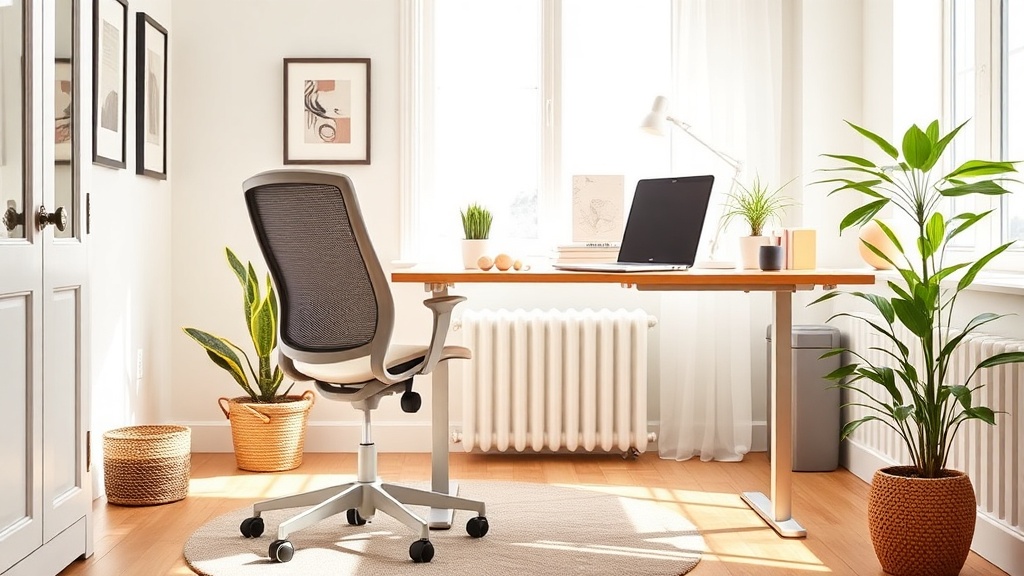
Spring Workspace Refresh: Ergonomic Upgrades for Remote Workers

Why settle for a sore back when spring is the perfect time to upgrade?
You've been sitting through endless Zoom calls, scrolling through emails, and pretending that the wobble in your chair is just "character." But the days of tolerating aches for the sake of a "budget" setup are over. This spring, give yourself the gift of comfort, focus, and a workspace that actually works for you.
What are the key ergonomic elements for a home office?
Ergonomics isn’t just a buzzword—it's the science of making your environment support your body. The three pillars are chair, desk, and lighting. Get each right, and you’ll notice fewer aches, sharper focus, and a desk that feels less like a torture device.
Chair: Support, not just upholstery
Look for a seat with adjustable lumbar support, a seat depth that lets your feet rest flat, and a swivel that lets you reach all corners of your desk without twisting. If a high‑end ergonomic chair is out of budget, a smart‑fabric seat cushion can add the missing back‑brace.
Desk: Height matters
A desk that’s too low forces you to hunch; too high makes your shoulders tense. The sweet spot is when your elbows sit at a 90‑degree angle while typing. Adjustable standing desks are the gold standard, but a DIY riser made from reclaimed wood can give you the same lift without the price tag.
Lighting: Keep the eyes happy
Natural light is a productivity booster, but glare can ruin a perfect view. Position your monitor about an arm’s length from a window, and add a 4000‑5000 K daylight lamp for those overcast afternoons. A simple clip‑on LED strip can eliminate shadows on your keyboard.
How can you assess your current workspace?
Grab a notebook and run a quick audit. Answer these questions:
- Do you feel a strain in your lower back after an hour?
- Is your monitor at eye level, or are you craning your neck?
- Do you need to squint to see the screen because of glare?
If you answered "yes" to any, you’ve got a clear upgrade target.
Which budget‑friendly upgrades boost comfort and productivity?
Here’s a step‑by‑step list that won’t break the bank:
- Upgrade your chair cushion. A memory‑foam lumbar pillow costs $20‑$35 and can transform a cheap chair into a supportive throne.
- Raise your monitor. Use a simple stack of sturdy books or a DIY wooden riser (see the Oscar‑leftover flooring post for a repurposing guide).
- Add a footrest. Even a small foam pad keeps your feet grounded and reduces pressure on your lower back.
- Invest in a clip‑on LED lamp. Look for a model with adjustable color temperature; $15‑$25 does the trick.
- Get a keyboard wrist rest. Prevent carpal tunnel strain for under $10.
- Consider a budget standing desk converter. Brands like FlexiSpot have desktop‑sized lifts for $80‑$120.
What simple posture exercises can you do at your desk?
Even the best setup needs movement. Try these three 2‑minute exercises between meetings:
- Seated cat‑cow. Sit tall, inhale arching your back, exhale rounding. Repeat 10 times.
- Desk shoulder stretch. Clasp hands behind your back, lift gently, hold 20 seconds.
- Standing hip flexor stretch. Stand, step one foot back, tuck pelvis, hold 30 seconds each side.
Consistency keeps muscles limber and the brain alert.
Takeaway
Spring isn’t just about swapping out floral prints; it’s your cue to overhaul the space where you spend the most hours. Start with a quick ergonomic audit, swap in a few budget‑friendly accessories, and sprinkle in micro‑breaks. Your back, eyes, and productivity will thank you—no return policy needed.
Steps
- 1
Audit Your Current Setup
Answer key ergonomic questions about your back strain, monitor height, and lighting to identify upgrade targets.
- 2
Implement Budget-Friendly Upgrades
Add a memory‑foam cushion, raise your monitor with a DIY riser, use a footrest, install a clip‑on LED lamp, get a wrist rest, and consider a standing desk converter.
- 3
Incorporate Micro‑Break Exercises
Perform seated cat‑cow, desk shoulder stretch, and standing hip flexor stretch for two minutes each between meetings.